Image & video · FLUX.2 Klein · 10 min read
Realistic AI faces across age groups: age progression and facial continuity
Four local FLUX portraits, practical prompt templates, and a reference-image workflow for aging a character without confusing wrinkles with identity.
The experiment: a coherent series, not proof of one identity
These four selected portraits were generated locally with MLX FLUX.2 Klein 4B, after several prompt revisions. They explore a young adult, midlife, older adulthood and later life in a shared studio style. The age goals were roughly 25, 42, early 60s and mid-70s; those are creative targets, not measured ages. Facial proportions and poses vary between the images. This is a useful text-prompt study, not a verified same-person transformation or a controlled benchmark.
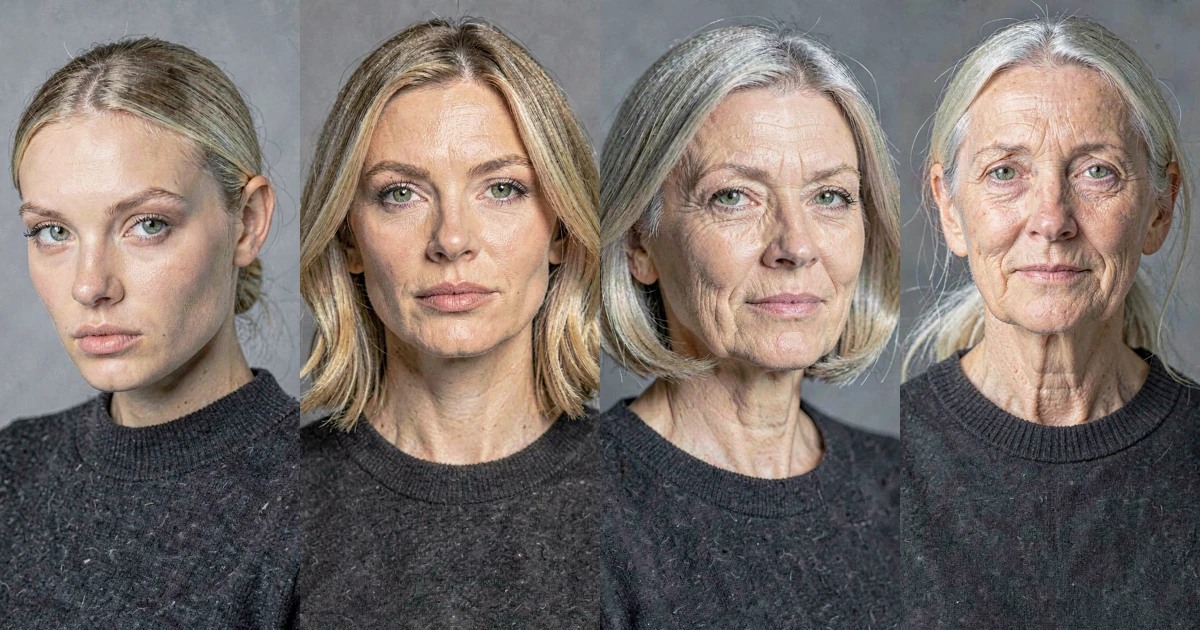
First choose what must stay consistent
There are two different jobs here. A coherent cast needs similar features, lighting and styling; text descriptions can help with that. One recognizable person at several ages needs stronger visual conditioning. Decide which job you are doing before spending time on prompt rewrites. A consistent sweater and background can make different faces feel related without actually preserving the person.
Build a stable facial description, not an identity password
Keep a short facial description unchanged: eye shape and color, nose profile, mouth shape and overall facial structure. Use visible features rather than treating ethnicity as a precise geometry instruction. These words narrow the range of faces; they do not encode a unique identity. In a text-only generation, saying 'the same woman' does not give the model access to your previous image.
A woman with angular facial structure, hooded moss-green eyes, a straight high-bridged nose and a softly defined mouth.

Keep this description unchanged. Put age, hairstyle, expression, camera and lighting in separate sentences.
Hold the studio setup steady
Use the same crop, approximate head angle, expression, wardrobe and lighting while testing age. Soft key light with gentle fill makes it easier to compare facial structure without deep shadows dominating the result. An 85mm lens description is a visual cue, not a physical camera setting enforced by the generator. Avoid changing hairstyle and pose in your first controlled comparison; the selected examples include those changes, so they cannot isolate age alone.
Wearing a plain charcoal crewneck wool sweater. Neutral cool gray studio backdrop. Head-and-shoulders portrait at eye level, relaxed closed-mouth expression. Soft diffused key light with gentle fill, natural skin color and restrained highlights. Portrait photograph with an 85mm lens look, f/2.8.
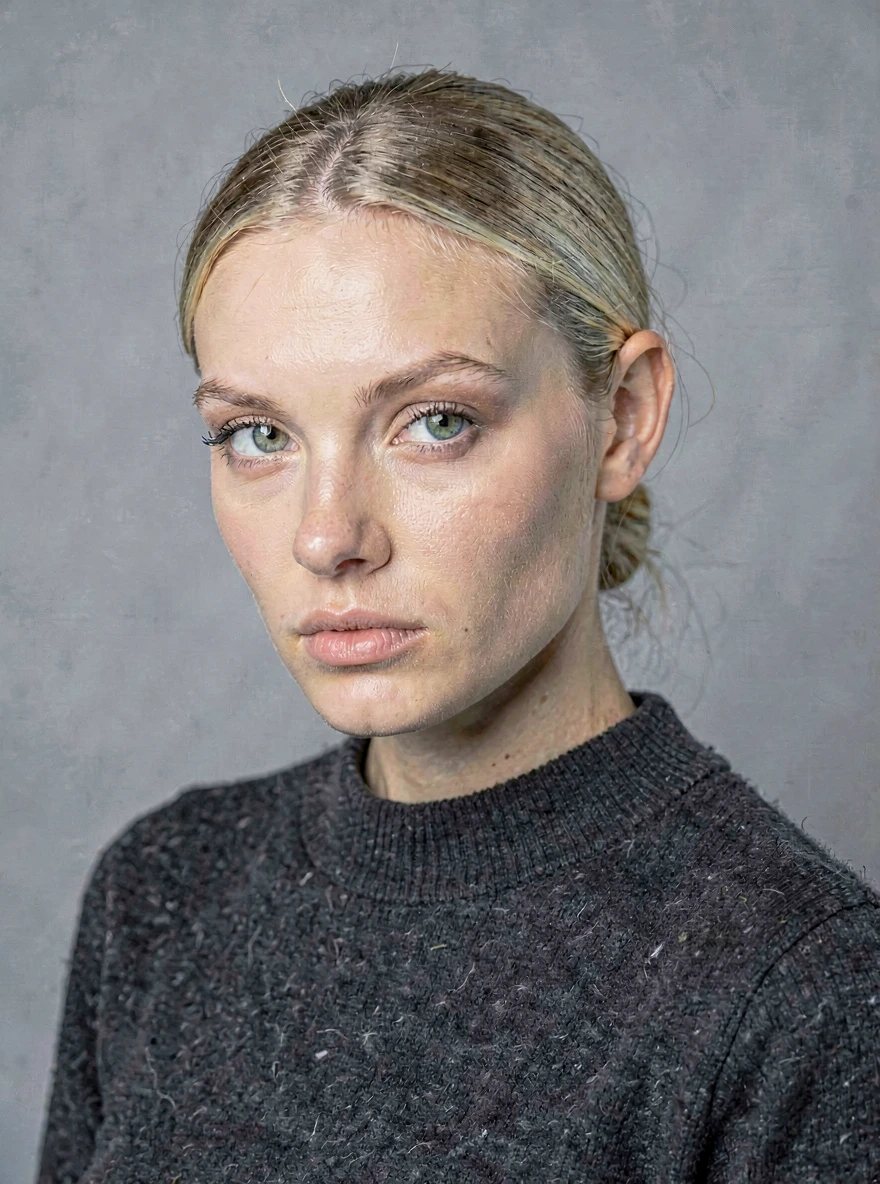
Young adulthood: preserve skin without a wet finish
For a young-adult baseline, start with a clear age and ordinary skin language. In our early attempts, the forehead had distracting reflective highlights. Reducing radiant or glossy wording is a reasonable first adjustment, alongside softer lighting. The selected portrait still has visible sheen; this is not a perfectly matte-skin result. The template below is an adapted starting point, not the recorded prompt that produced this exact image.
Studio portrait of a 25-year-old adult woman. A woman with angular facial structure, hooded moss-green eyes, a straight high-bridged nose and a softly defined mouth.
Honey-blonde hair simply tied back. Youthful cheek volume and a gently defined jawline. Natural skin with subtle fine texture, a soft matte finish and light everyday makeup.
Wearing a plain charcoal crewneck wool sweater. Neutral cool gray studio backdrop. Head-and-shoulders portrait at eye level, relaxed closed-mouth expression. Soft diffused key light with gentle fill, natural skin color and restrained highlights. Portrait photograph with an 85mm lens look, f/2.8.
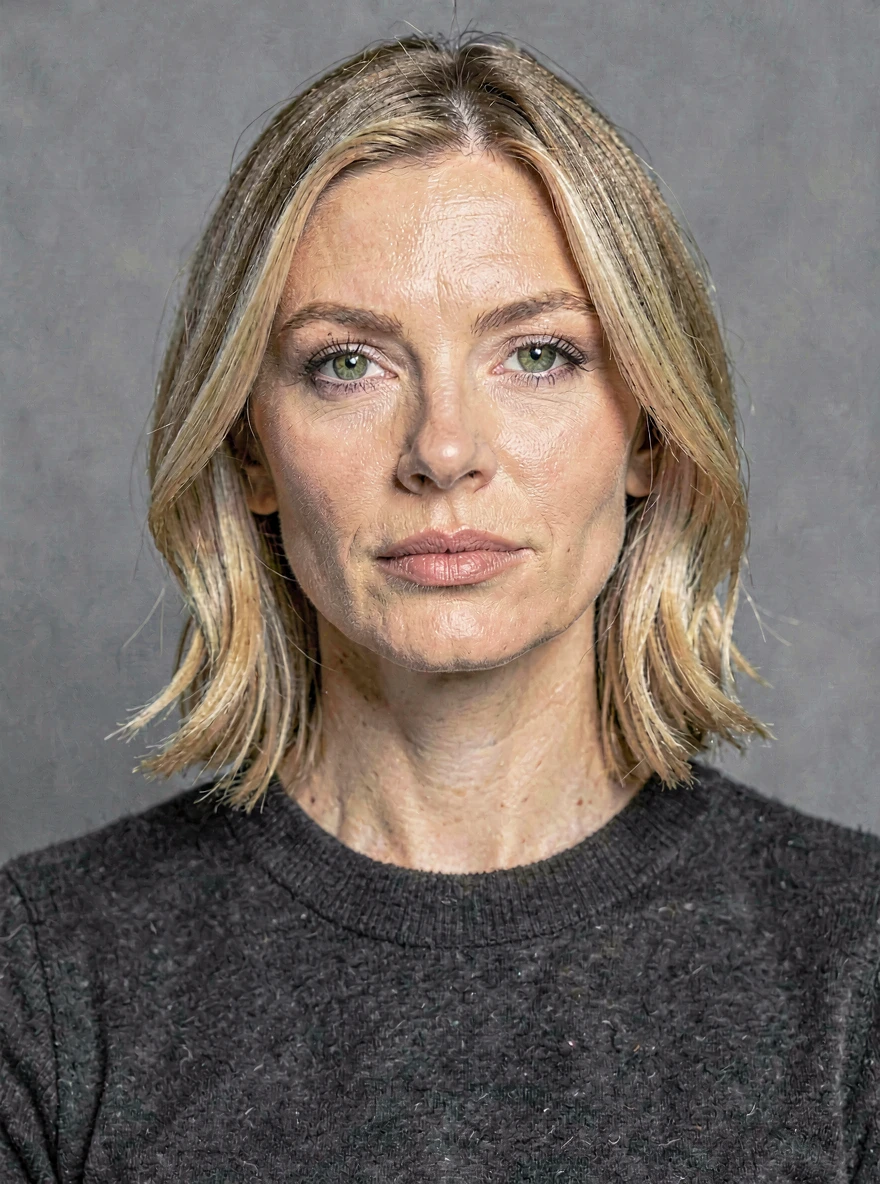
Midlife: do not pile every aging cue into one face
Our first attempt at a woman in her early 40s read substantially older to us. Stacking strong wrinkle and weathering descriptions was not useful for this target. Begin with age, subtle expression lines and ordinary skin texture rather than a catalogue of aging features. Real people in their 40s vary widely; neither a smooth face nor visible lines alone determines their age.
Studio portrait of a 42-year-old adult woman. A woman with angular facial structure, hooded moss-green eyes, a straight high-bridged nose and a softly defined mouth.
Honey-blonde hair in a simple shoulder-length cut. Mature facial contours with subtle expression lines near the eyes. Natural healthy skin with a soft finish and restrained texture.
Wearing a plain charcoal crewneck wool sweater. Neutral cool gray studio backdrop. Head-and-shoulders portrait at eye level, relaxed closed-mouth expression. Soft diffused key light with gentle fill, natural skin color and restrained highlights. Portrait photograph with an 85mm lens look, f/2.8.
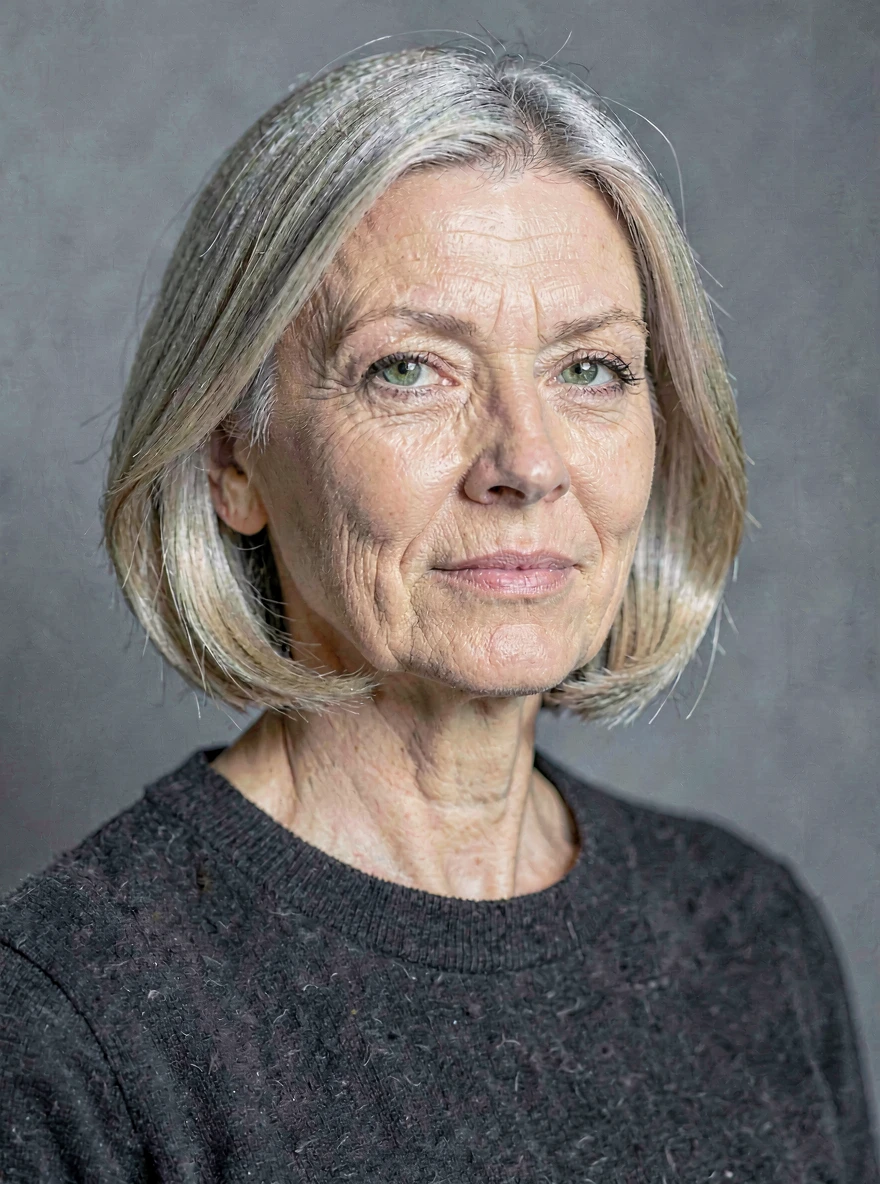
Older adulthood: structure matters more than gray hair
Gray hair is a styling choice, not an age measurement. For an older adult, introduce a few moderate cues together: softer cheek volume, a less sharply defined jawline and natural lines around the eyes and mouth. Do not require every older face to be gaunt or heavily creased. In this selected image, facial lines remain prominent; judge whether that serves your character instead of assigning an exact birthday from the pixels.
Studio portrait of an adult woman in her early 60s. A woman with angular facial structure, hooded moss-green eyes, a straight high-bridged nose and a softly defined mouth.
Silver-blonde hair in a chin-length bob. Gently softened cheek volume and jaw contour. Natural lines around the eyes and mouth, even skin color and a calm expression.
Wearing a plain charcoal crewneck wool sweater. Neutral cool gray studio backdrop. Head-and-shoulders portrait at eye level, relaxed closed-mouth expression. Soft diffused key light with gentle fill, natural skin color and restrained highlights. Portrait photograph with an 85mm lens look, f/2.8.
Later life: keep expression separate from age
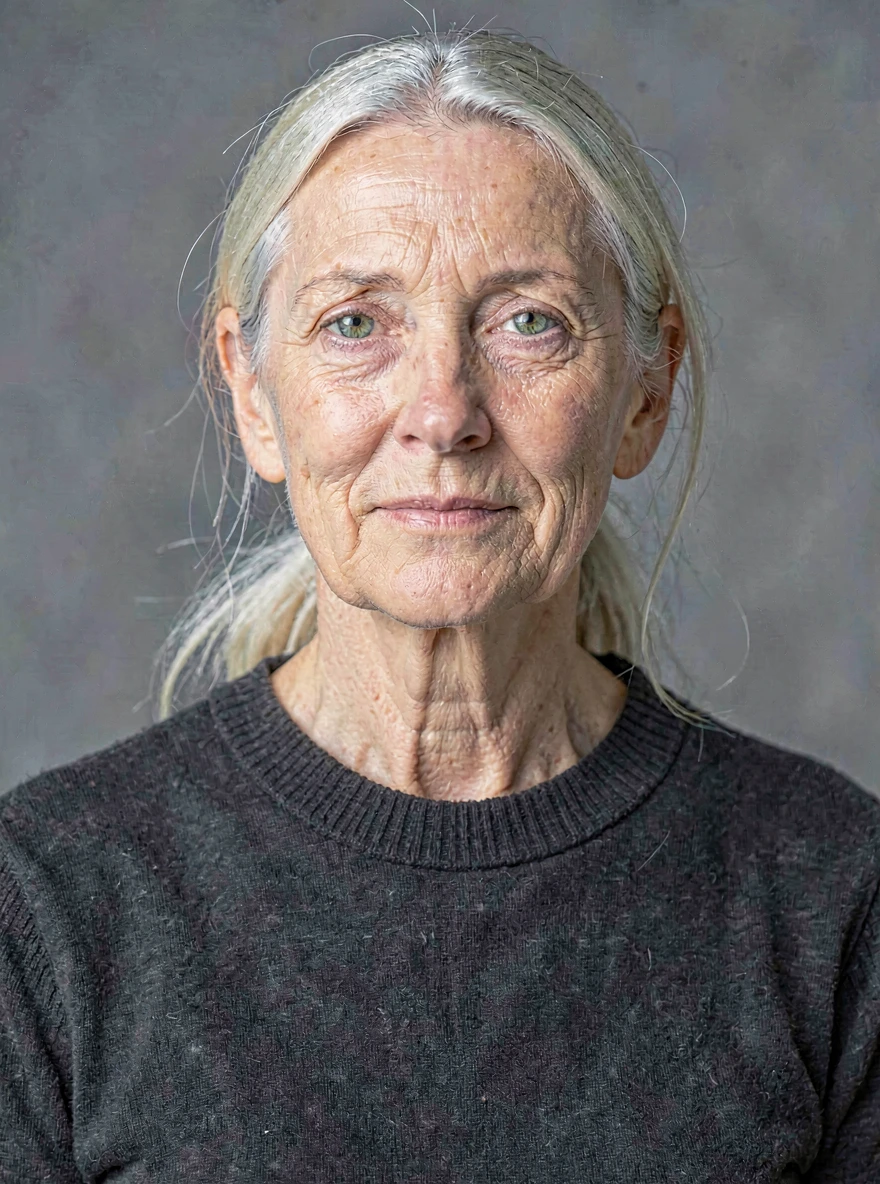
A later-life portrait does not need a sad expression, frailty or harsh light. Keep the person's mood independent of the age instruction. Describe softer contours, fine silver hair and naturally visible lines without demanding extreme skin texture. The selected frame has a frontal pose, tied-back hair and more visible neck texture; those changes contribute to how old it reads.
Studio portrait of an adult woman in her mid-70s. A woman with angular facial structure, hooded moss-green eyes, a straight high-bridged nose and a softly defined mouth.
Fine silver-white hair loosely tied back. Softened facial contours and natural lines around the eyes, mouth and neck. A composed, relaxed gaze and natural skin color with gentle tonal transitions.
Wearing a plain charcoal crewneck wool sweater. Neutral cool gray studio backdrop. Head-and-shoulders portrait at eye level, relaxed closed-mouth expression. Soft diffused key light with gentle fill, natural skin color and restrained highlights. Portrait photograph with an 85mm lens look, f/2.8.
Local MLX setup: dimensions go in the controls
Set width and height in your local app, not in a Midjourney-style flag at the end of the prompt. The uploaded portraits are 768 × 1034 pixels; their dimensions do not establish the original generation settings. Use a portrait size supported by your installation and keep it fixed during comparisons. Record the exact checkpoint, quantization, seed, steps, guidance if available, and app version. We do not have a complete settings log for these renders, so exact reproduction is not claimed. Keep the prompts in English here; the surrounding guide is available in English, Spanish and Arabic.
When identity matters, start from a reference image
Choose one clean baseline face and use an image-editing or reference-conditioned workflow supported by your exact model and local application. FLUX.2 supports reference-image editing, but a local text-to-image screen does not necessarily expose it. In ComfyUI, start from a working, model-compatible image-editing template. Check that the reference image feeds the generation path; connecting Load Image straight to Save Image only saves the original. Edit age while keeping pose, expression, crop and light steady. This reference workflow was not used to validate the four examples above.
Edit the woman in the reference image to appear in her early 60s. Preserve her recognizable eye shape and spacing, nose profile, mouth shape and overall facial proportions. Introduce gentle age-related changes in cheek volume, jaw contour and expression lines. Keep the same pose, expression, sweater, crop, background and lighting. Keep natural skin color and restrained highlights.
Choose the right continuity tool
Text-only is the simplest option for exploring a character type. Reference-image editing is the next step for retaining a recognizable face. A character LoRA may help across a larger series, but needs a suitable dataset and an exact match to your model architecture. Tools built for FLUX.1 or SDXL are not automatically compatible with FLUX.2 Klein; verify support before installing adapters or nodes. A fixed seed is useful for repeatable experiments within the same setup, not an identity lock when you change the prompt. None of these methods guarantees perfect aging or an exact match.
Troubleshoot one variable at a time
Face looks too old: remove strong weathering terms first and simplify the age block. Skin looks oily: reduce glow wording and change only the highlight or lighting description. Skin looks waxy: ask for subtle fine texture rather than adding multiple grain and pore terms. Face drifts: stop rewriting synonyms and move to compatible image conditioning. Expression becomes strained: return to a neutral closed-mouth expression. Gray hair on a youthful face: add moderate structural cues instead of adding still more gray. These are adjustments to test, not universal fixes.
A small comparison test beats a convincing carousel
For a new test, keep the facial description, pose, hair, crop, lighting and model settings fixed. Generate each age target using the same small set of seeds, not one hand-picked image per age. Compare eye spacing, nose profile, mouth shape, chin proportions and skin separately; hairstyle can distract from drift. Ask a few people to estimate a broad age range without seeing the prompt labels, and report the disagreement. Save the unsuccessful renders too. This reveals whether a change helps consistently rather than only in your favorite result.
What these four portraits do—and do not—show
They show a coherent portrait style and an apparent younger-to-older progression after local iteration. They do not prove exact age control, identical facial geometry or reliable performance across people, skin tones, models or seeds. The four copyable portrait prompts are cleaned-up templates adapted from this experiment, not verified recipes for reproducing the selected pixels. Use fictional characters or consented reference photos, and disclose synthetic age edits when the result could be mistaken for a real photograph.
Technical references
Know a trick other creators should learn?